As programmers, we know the importance of sequences such as lists, tuples, etc. But Have you ever handled the data in a table or spreadsheet format in Python?
If you didn’t, here is your 1st read, and for all the data-related JOBS, you should know how to handle the tabular data in Python, and You’re in the right place to learn it.
A table or Spreadsheet format is called DataFrame in Python, and it has two-dimensional data structures containing rows and columns of the data. Let’s learn how to create a DataFrame using Pandas — One of the most used Open Source Python libraries for data analysis and manipulation.
There are various ways to create a DataFrame using Pandas; in this article, I will cover a few methods. Let’s dive…
- DataFrame constructor:
There are many ways to create a DataFrame using the Pandas DataFrame constructor.
We can create an empty/blank DataFrame, and then we can add data to it.
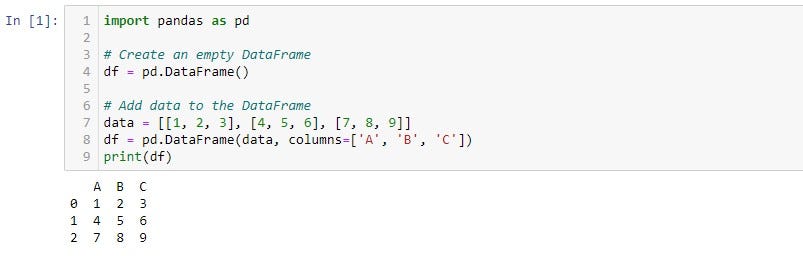
We can add rows to the DataFrame using Pandas ‘loc’ property.
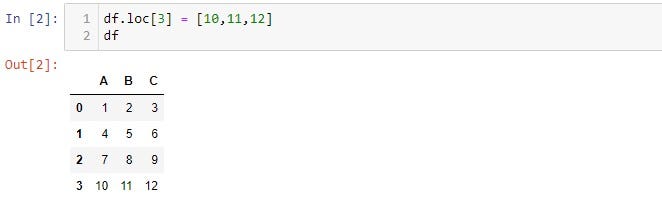
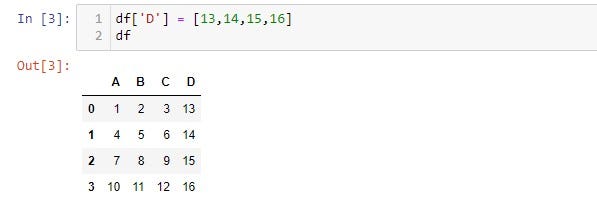
We can also add a column using the empty square brackets ‘[]’ operator and assign values.
We will be able to create a DataFrame using the Numpy array method as well. Pass 2D-NumPy array.
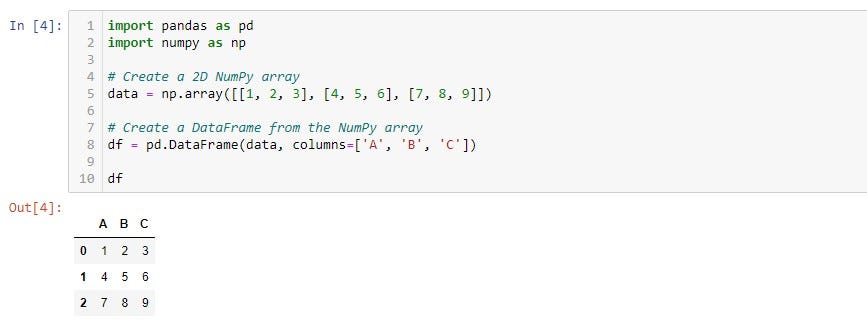
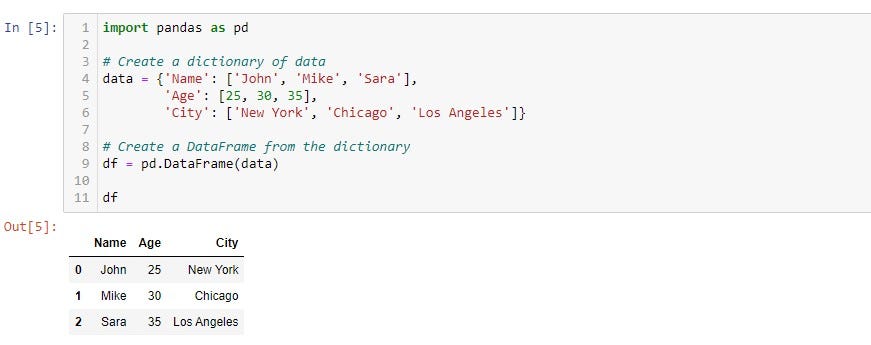
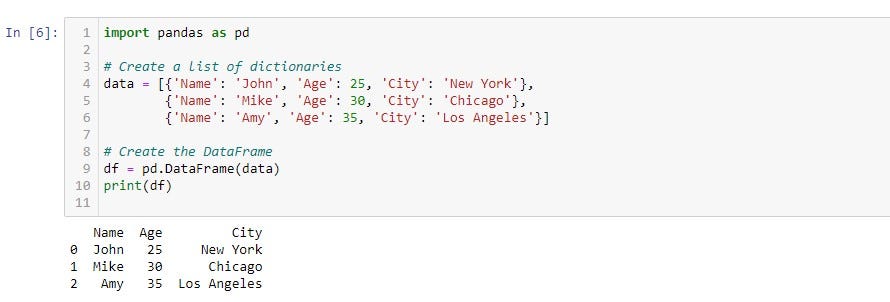
By using a dictionary and a list of dictionaries in the DataFrame constructor,
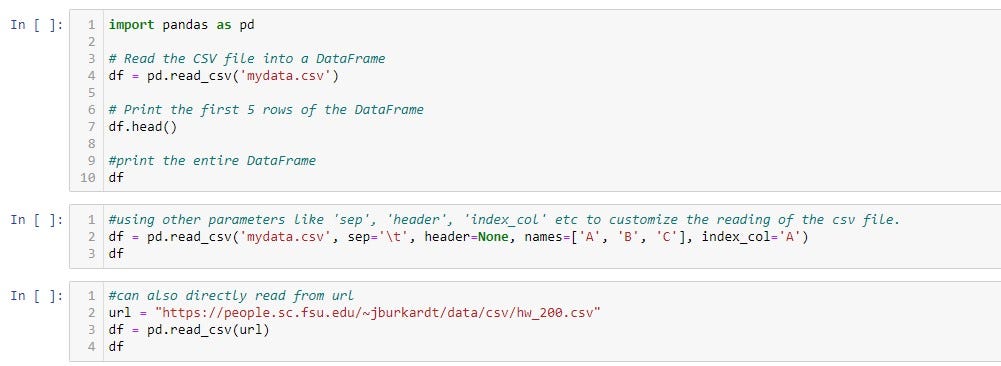
We can use the ‘read’ function in pandas to create a DataFrame from CSV, Excel, SQL, JSON files, etc.,
If you are curious about CSV files, let me explain that Comma separated file is a plaintext file containing tabular data. Each line in the file represents a row in a table and is separated by commas.
Before reading the files, we have to check the below points,
- File path — make sure that the file path is correct and accessible.
- File format — make sure that the file format is supported by the function you use. For example, ‘pandas.read_csv()’ is used to read CSV files, ‘pandas.read_json()’ is used to read JSON files, and ‘pandas.read_html()’ is used to read HTML files.
Reading a CSV and Excel file, the syntax is slightly different.
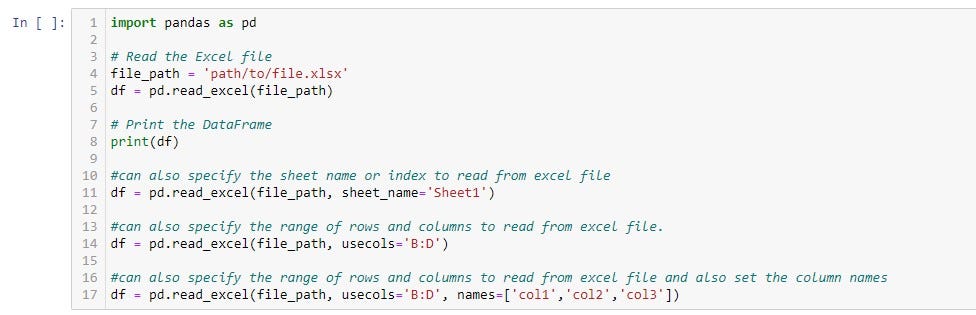
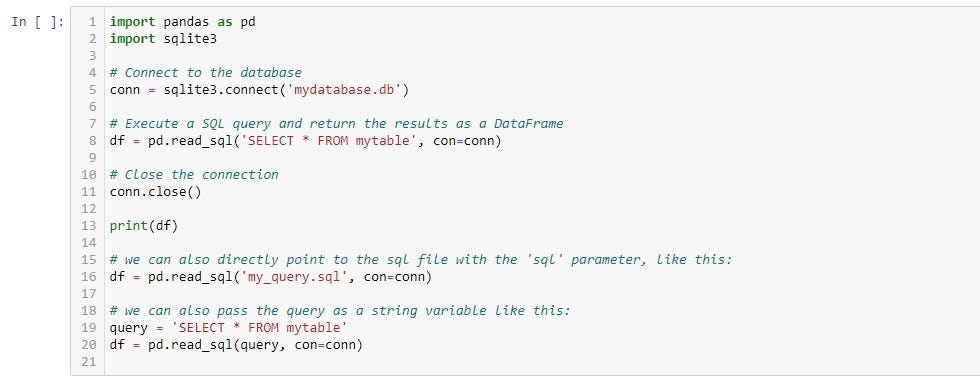
Now let us see how to create a DataFrame from an SQL file,
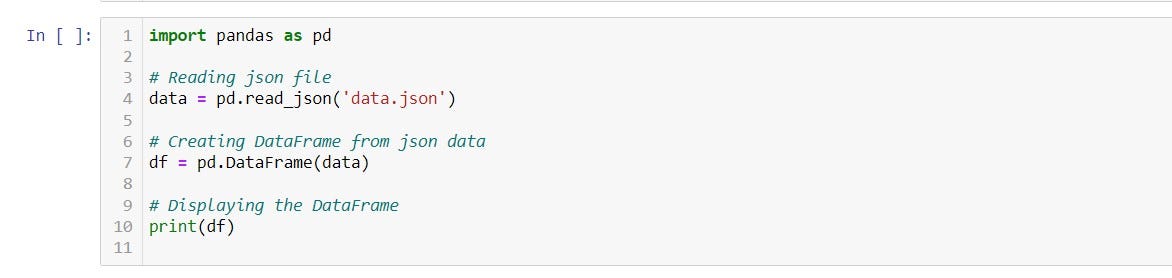
We use JSON when we don’t want to create a file, but we have the JSON record,
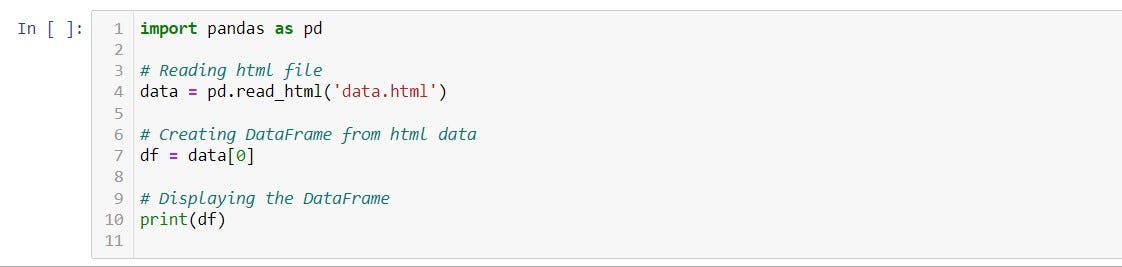
Read data from HTML files using the Pandas library. It will generate a data frame; by scraping the HTML page in the backend for any (table) tags and captures the table into a data frame.
Above are a few methods to create a DataFrame there are other methods as well, like copying from other DataFrame using the ‘copy()’ function, vertical and horizontal concatenation, etc.,
Conclusion:
This article (cheat sheet)helps you to understand how to create a DataFrame and initialize the phase of learning EDA (Exploratory Data Analysis).
Follow me on LinkedIn for more insightful data science talks and content
Karthik Saravanan
Adios