In this emerging Artificial Intelligence world, Natural Language Processing (NLP) is one of the dominating fields. However, preparing the text contents from the documents for the NLP process is very tedious.
Even though I have used Python for many years, when I started to work on preprocessing the documents for my NLP projects, I learned and start utilizing the many Python String Methods for the first time. Hence, I thought sharing the utilization of those methods may help beginners in NLP.
1. upper () and lower ()
While processing the documents, it is always a better choice to go with a similar case.
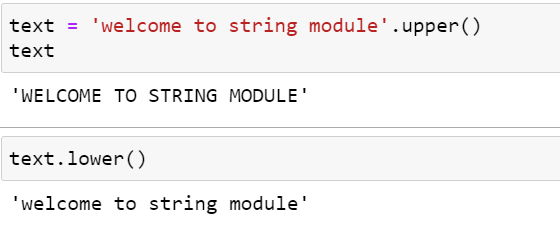
Python string methods have the option to convert entire strings in either upper or lower case. However, most programmers still prefer the lower case, and I also do.
If you need to convert your string to an upper case, the upper () method will convert and return a new string value with all upper cases.
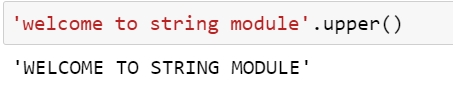
Convert the given string to lowercase using the lower () method.
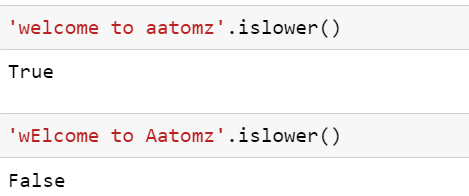
2. Validation — islower () isupper()
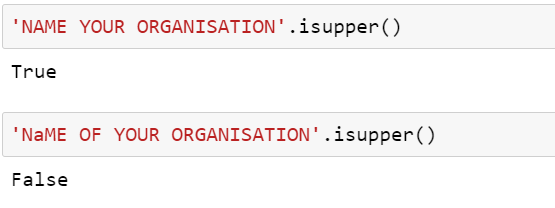
Also, we can validate whether the string from the documents is in lowercase or uppercase.
verify whether the string only has the lowercase.
verify whether the string only has the uppercase.
3. Validation — isalpha ()
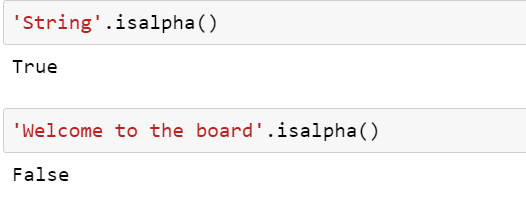
If we need to validate whether the string only contains the alphabet, then we can utilize the isalpha() method.
4. Validation — isdigit()
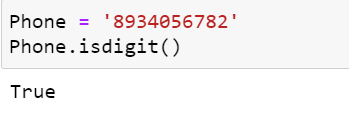
If we need to validate whether the string contains only the numbers, then we can use isdigit() method.
E.g., For validating phone numbers, isdigit() is the most helpful method.
5. Validation — isalnum()
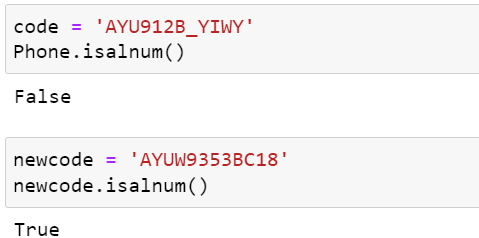
In some cases, we need to verify the document has any special chars other than alphabets and digits. So, we can use isalnum() method to validate it.
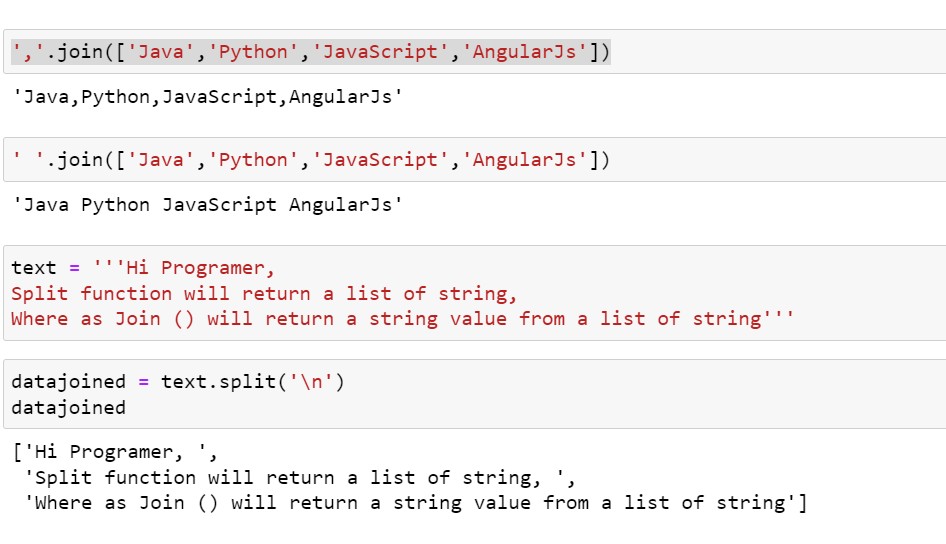
6. join () & split ()
If you want your list of strings to be joined together into a single string value and your string value to be a list of strings, these methods are helpful, respectively.
7. Preprocessing Tabular Data — strip ()
One of the significant challenges I used to face was the leading and trailing space in the tabular data (excel/CSV).
We should remove only those white spaces because removing all the spaces in the string will mislead the analysis.
Also, in some cases, the price would have been mentioned with a currency symbol. In those cases, also we need to remove those symbols.
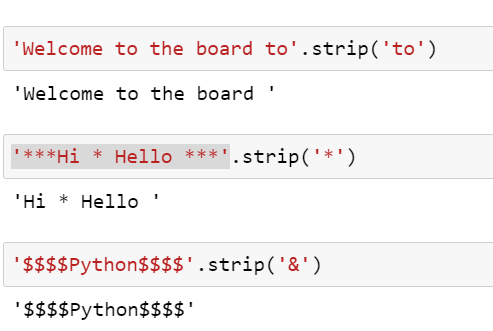
The Python strip () method is very useful for removing those leading and trailing spaces or specific chars or special chars.
Here is an example of how to do that!
However, I’ve to agree that I have never used any of these string methods until I step into the NLP projects.
So, Python is an Ocean, and every day we can catch something new and valuable.
Happy Learning, and if you want to catch up on more data science insights, follow me on LinkedIn
https://www.linkedin.com/in/gayathri-velmurugan
Thanks & Regards
Gayathri