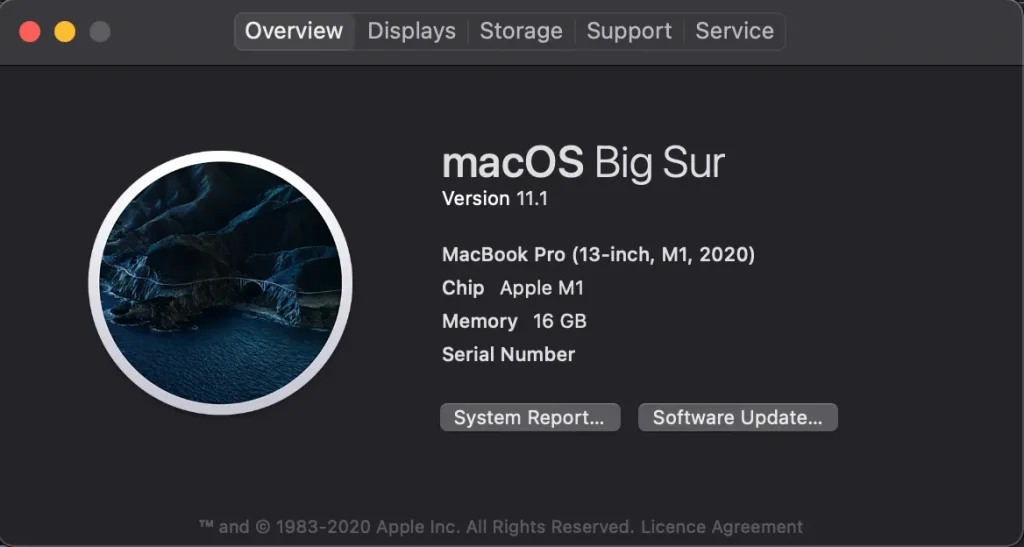
I’ve successfully installed TensorFlow in my Apple MacBook M1 release. I’ve collected the steps from various blogs and GitHub threads and organized to new users.
# 1. Download Miniforge
I’ve successfully installed TensorFlow in my Apple MacBook M1 release. I’ve collected the steps from various blogs and GitHub threads and organized to new users.
https://github.com/conda-forge/miniforge
download the Miniforge3-MacOSX-arm64 from the above link

#2. Install Miniforge using terminal (run the below command in terminal)
bash Users/<user name>/Downloads/Miniforge3-MacOSX-arm64.sh
#3. Create conda environment with Python3.8. Tensorflow not available for Python3.9 now (25th Jan 2021)
conda create — name tf_env python=3.8
#4. Activate the created virtual environment tf_env
conda activate tf_env
#5. Download tensorflow_macos-0.1alpha1.tar.gz from Apple github tensorflow_macos (Check in assets)
https://github.com/apple/tensorflow_macos/releases
#7. Unzip the downloaded tar file (double click the tar file to extract)
#8. Create a variable libs to target arm64 folder from the extracted tensorflow_macos folder

libs=”/Users/<username>/Downloads/tensorflow_macos/arm64“
E.g:- libs=”/Users/parthiban/Downloads/tensorflow_macos/arm64″
NOTE: If you get the error
dquote>in the terminal, manually change the double quotes in the terminal for all commands. It is due to default format change between various resources.
#9. Create a variable env and set to created Tensorflow environment tf_env in the step 3
env=”/Users/<username>/miniforge3/envs/tf_env”
#10. Execute the following commands in the terminal — One by One
Conda install cached-property six
pip install — upgrade -t “$env/lib/python3.8/site-packages/” — no-dependencies — force “$libs/grpcio-1.33.2-cp38-cp38-macosx_11_0_arm64.whl”
pip install — upgrade -t “$env/lib/python3.8/site-packages/” — no-dependencies — force “$libs/h5py-2.10.0-cp38-cp38-macosx_11_0_arm64.whl”
pip install — upgrade -t “$env/lib/python3.8/site-packages/” — no-dependencies — force “$libs/numpy-1.18.5-cp38-cp38-macosx_11_0_arm64.whl”
pip install — upgrade -t “$env/lib/python3.8/site-packages/” — no-dependencies — force “$libs/tensorflow_addons-0.11.2+mlcompute-cp38-cp38-macosx_11_0_arm64.whl”
conda install -c conda-forge -y absl-py astunparse gast opt_einsum termcolor typing_extensions wheel typeguard
pip install wrapt flatbuffers tensorflow_estimator google_pasta keras_preprocessing protobuf
pip install — upgrade -t “$env/lib/python3.8/site-packages/” — no-dependencies — force “$libs/tensorflow_macos-0.1a1-cp38-cp38-macosx_11_0_arm64.whl”
pip install tensorboard
#12. Run python in terminal and run the following command
import tensorflow
If no error persists, then the installation was successful.
This article is written to the new users to just copy/paste and run the commands to quickly complete the TensorFlow installation on MacBook M1.
Thanks for clapping 😜😜😜.